Creating level maps for Turok

This post is part of the Game Boy series (#10).
In my last post, I wrote about how retroachievements.org works, and I am currently creating achievement for the GameBoy game Turok: Battle of the Bionosaurs.
When I started out, I couldn't find any maps for the game, which is a pity, because a good achievement set should cover (to some extent) all of the available content of a game, including secret areas etc. Normally, VGmaps.com is the place to go for GameBoy maps, but unfortunately they had nothing on Turok.
To thoroughly explore the game, I decided to create my own maps. One possible approach would be creating lots of screenshots and then stitching them together manually, but that sounds like an awful lot of work. (I guess a lot of the maps on VGmaps were made this way, so kudos to everyone doing the hard work!)
My idea was: If I could walk through the game and continuously grab screenshots (via script), those could then be stitched together in the background, so I could get a full map of everyhting that's shown on screen.
The precondition is that the game somehow tracks world x/y coordinate state, so that we know when the player moved, that the new image data can be stitched to the right, and also for the other directions. Luckily, for Turok, this is the case.
Now while some emulators like BizHawk support Lua scripting, there's an even simpler option: PyBoy, a GameBoy emulator with Python bindings, which is super handy to grab screenshots or even interact with the game.
For example, if we start the recording and move like this:
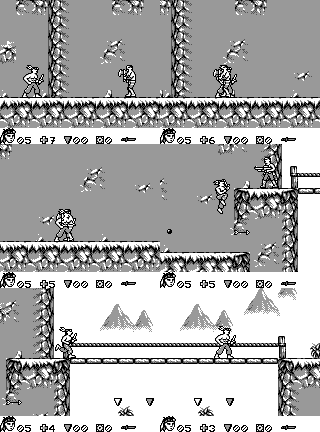
This would be the map that is created:
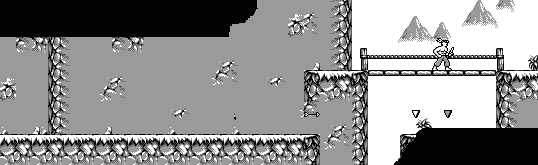
You can see that it recognized correctly that we climbed up and drew the second part higher than the first.
The simple approach worked pretty well! The enemies and other moving things were pretty distorted at first, so for every room, I first moved around and defeated all enemies, so they wouldn't appear on the map. I tried a bit to only get the background sprite layer but that didn't work out, so I decided then rather quickly to use the complete visible sprites, which would also make all collectables show up.
Luckily, Turok has a cheat for flying around ("Bird mode"). which helped a lot to clean up the maps and also capture all of the rooms.
You can have a look at the script yourself here: GameBoy map extraction script
It can be run with uv (uv run gb_auto_mapper.py turok.gb map.png), given that you have a ROM to use. In the command line, you can then toggle the recording with "r", so you can first move to the level or room you want to record.
I'm not sure if it works for other games, I didn't try yet. Let me know if you tried it for some other game, I would be curious to know!
After having all the raw room maps (which can be between 5 and 15 between level), I decided to put them together onto a bigger canvas, so you can have a look at a whole level at once:
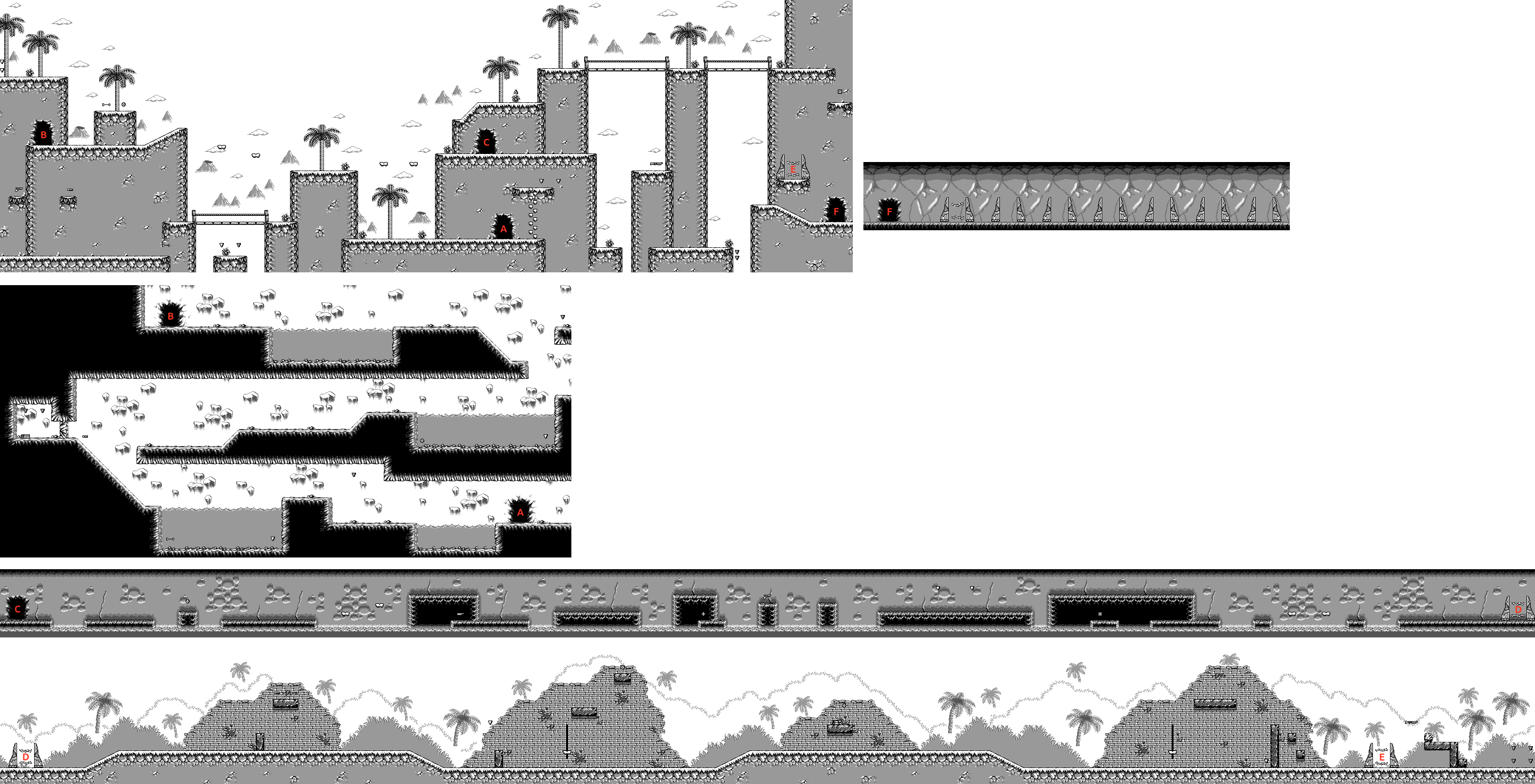
The most important thing for me was adding which door leads where, which was one of the things I struggled most with early in the game.
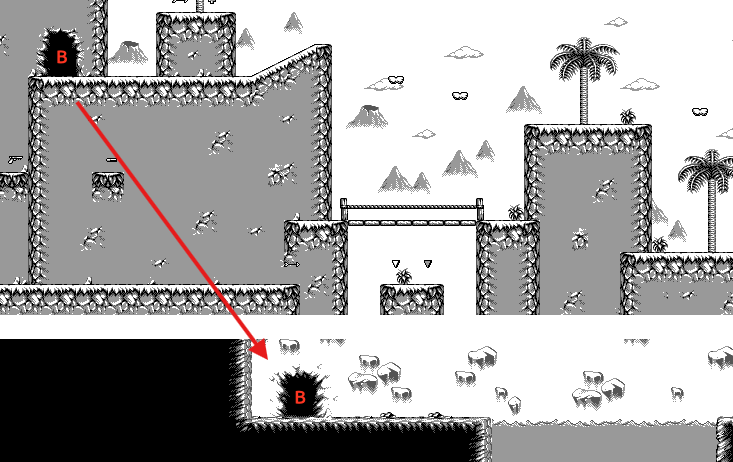
To help me further for making achievements, I decided to also add layers with additional information, such as the keys to collect, weapons, checkpoints and bosses, like this:
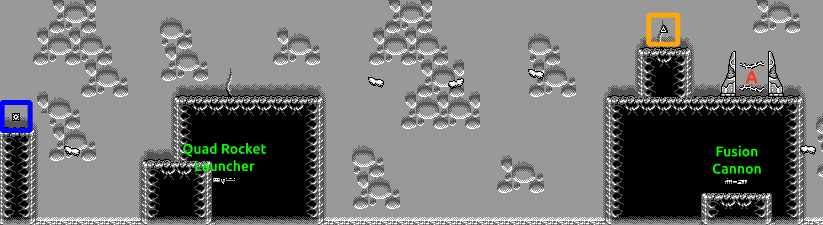
The final maps can be found here: Maps for Turok
Both the spoiler-free and fully annotated versions are available.
Happy exploring!
